Clients and contacts
A client is a company you meet with. It has contacts (people with an email address) and a history of every meeting linked to it.
The client list
Clients shows every client on the site as a card: name, number of contacts, upcoming meetings, total meetings and when you last met.
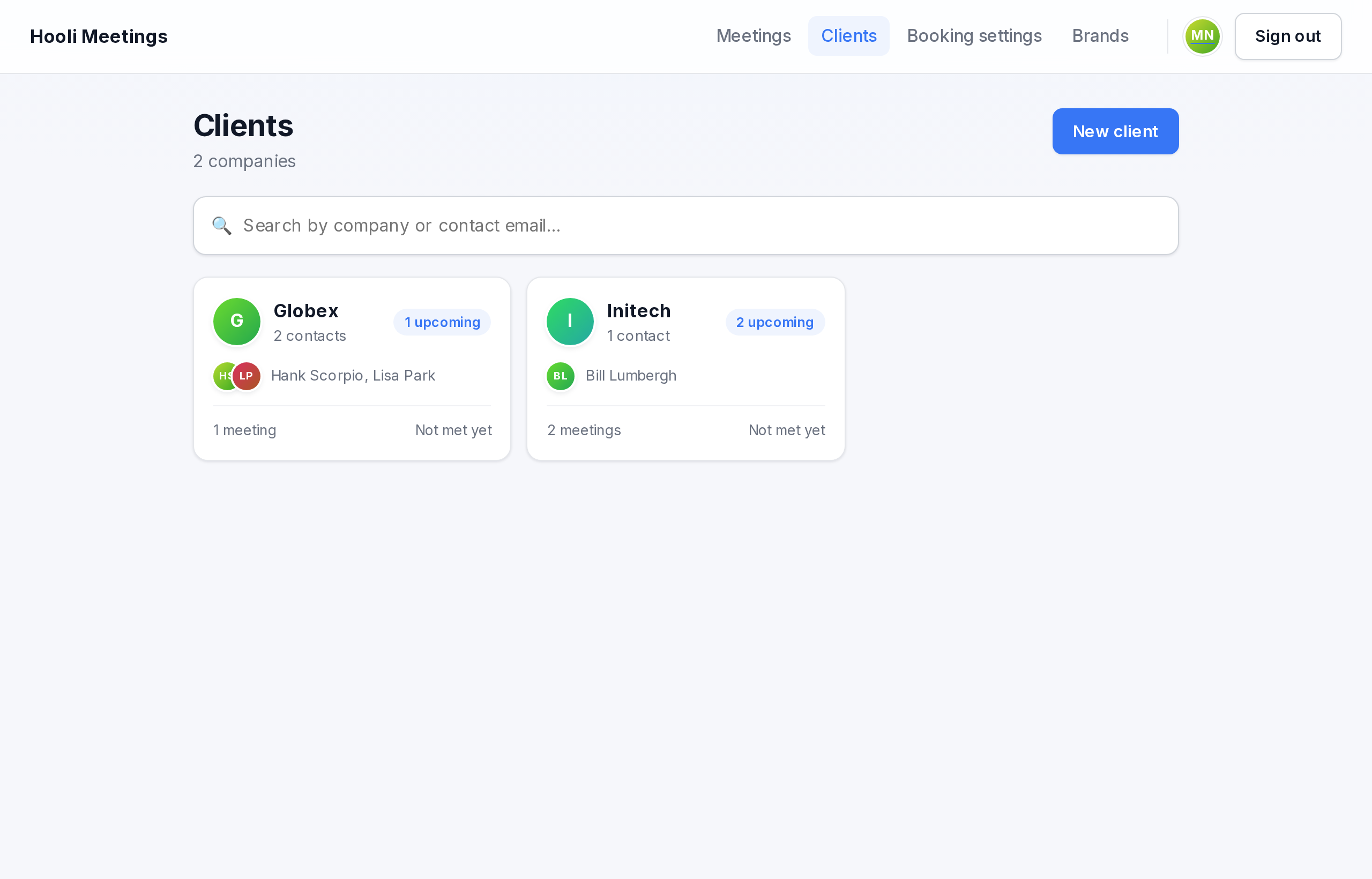
Search by company name or contact email; searching wile finds the client whose contact is wile@acme.com.
To add a client, choose New client, type the company name and choose Add client. You land on its page.
A client's page
The top shows the company, its email domains, and counts of upcoming meetings, past meetings and contacts. From there:
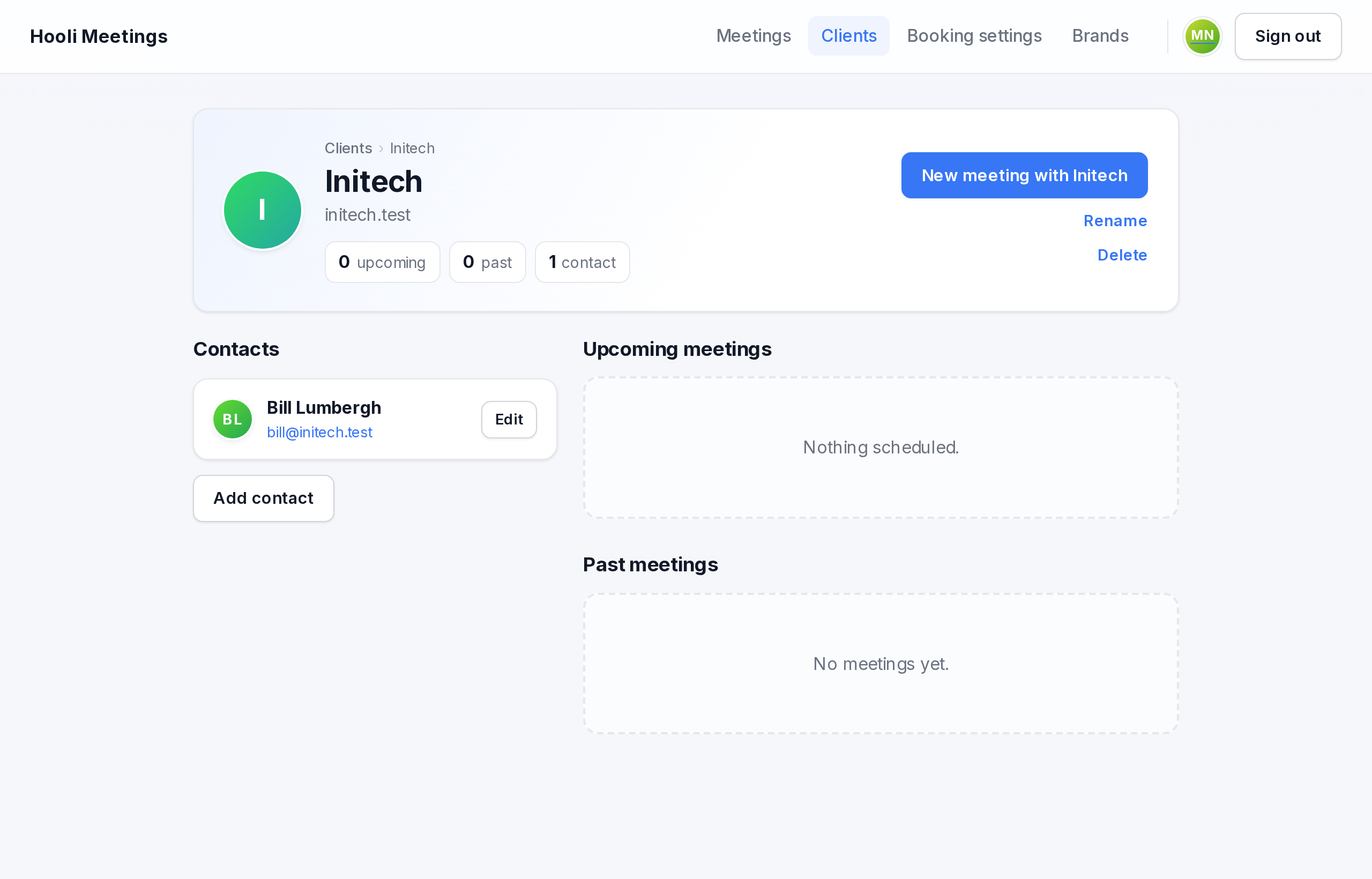
- New meeting with … opens New meeting with the client and all its contacts filled in.
- Rename changes the company name.
- Delete removes the client and its contacts. Its meetings stay, without a client.
Below are its contacts, and its upcoming and past meetings.
Contacts
Each contact has a name (optional) and an email address. An email address can belong to only one client per site.
- Add contact opens a small form; fill in name and email and choose Add contact.
- Edit on a contact lets you change it or Remove it.
Contacts are suggested when you add attendees to any meeting, and all of them are added when you pick the client on a new meeting.
How bookings find their client
When someone books you on a booking page, MeetAlias links the meeting to a client, in this order:
- Known contact. The booker's email is already a contact: that client.
- Same company domain. Another contact has the same email domain (say
@acme.com): that client. Free-mail domains such as gmail.com or outlook.com never match. - Same company name. The company they typed matches a client's name: that client.
- Otherwise a new client is created, named after the company they typed (or after them), with the booker as its contact.
Unconfirmed bookers
In cases 2 and 3 the booker is matched by a guess, so they are not added as a contact. They appear on the client's page under Unconfirmed bookers. Until you choose Add as contact, they're never added to new meetings with that client.
This matters: without it, anyone could book a meeting with a made-up name on a client's domain and start receiving that client's future meeting invites.