Profile
Open your profile by clicking your photo (or initials) at the top right. Your profile is the same on every site of your team's MeetAlias.
About you
What clients see on your booking pages and in invites.
- Photo
-
Upload photo picks an image from your device. It's cropped to a square and resized in your browser before upload, which also removes hidden data such as the location where a phone photo was taken. JPEG, PNG and WebP work.
Use Google photo copies the photo of your Google account. It's copied once, not linked, so visitors of your booking page never load anything from Google. The button appears after you've signed in at least once since this feature was added. On Microsoft 365, your Microsoft photo is copied in once, the first time you sign in.
Remove goes back to your initials.
- Name
- Your name on booking pages and in invites. It starts as your Google or Microsoft account name and follows it until you change it here; after that, your own choice is kept.
- Headline
- Optional line under your name on booking pages, such as Founder, Example Ltd.
Photos are public
Your photo is visible to anyone who opens your booking page, and its address can be opened without signing in.
Time and email
- Your timezone
- Your weekly hours and every time shown in MeetAlias use it. New accounts start on UTC. If your computer is set to a different timezone, MeetAlias says so and offers Use it.
- Daily email
- Tick it to get a short email every morning with today's meetings and new bookings since yesterday, across all sites. It's skipped on days with nothing to report.
- Send it at
- When the daily email goes out, in your timezone. It can arrive up to 10 minutes later.
Team access
Admins only. The list of everyone who has signed in.
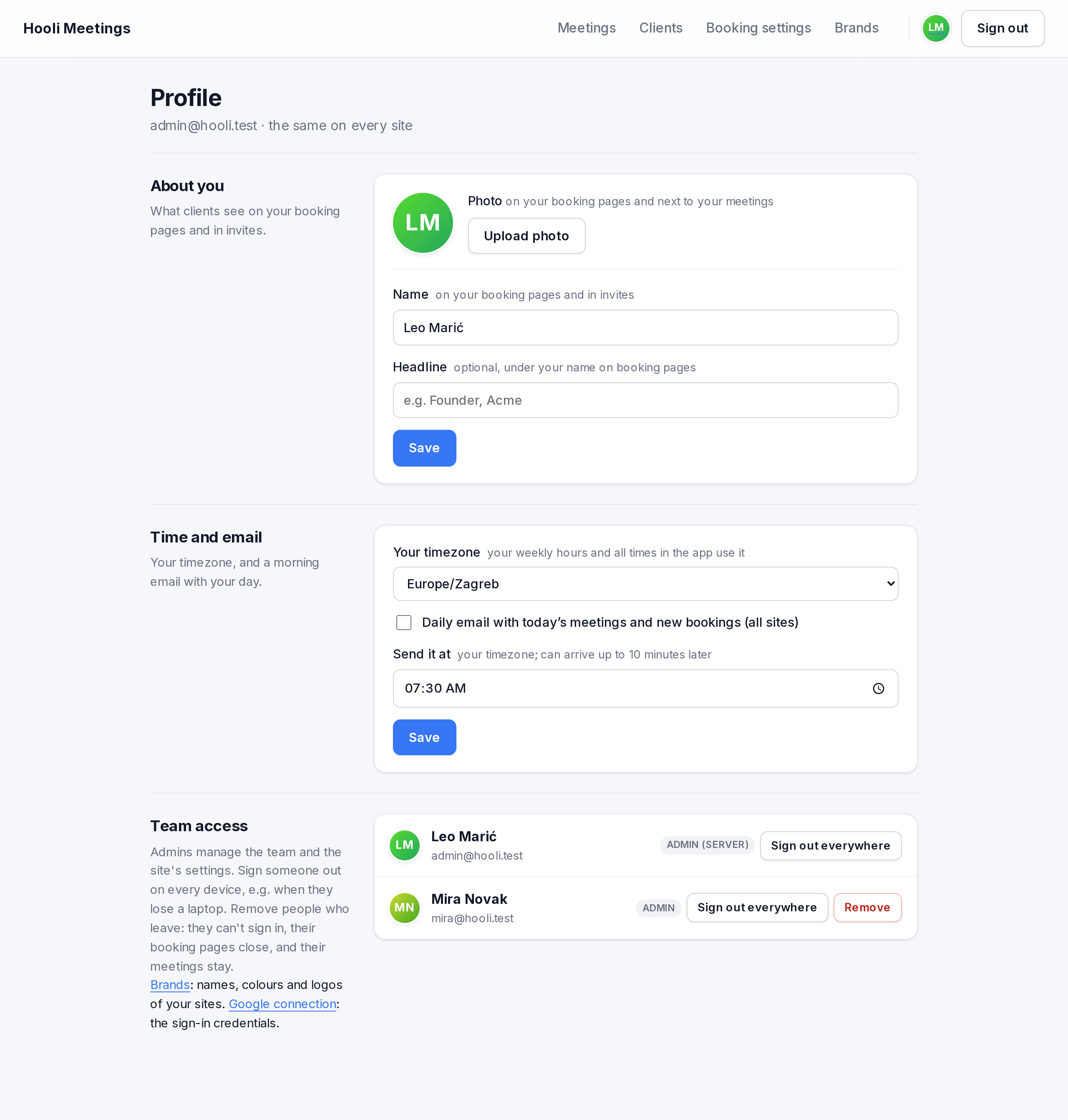
- Make admin / Remove admin
- Admins see everyone's meetings and manage the team, the brands and the Google or Microsoft connection. The last admin can't step down. People in
ADMIN_EMAILSshow as Admin (server). - Sign out everywhere
- Ends every session they have at once, e.g. when they lose a laptop. They can sign in again.
- Remove
- For people who leave. They are signed out and can't sign in again, MeetAlias stops using their Google or Microsoft account, and their booking pages close. Their meetings stay in the list. Restore undoes it; they sign in again.
If the install has a limit on people (MAX_USERS), this section shows how many are in use. Everyone who has signed in and isn't removed counts. Nobody is blocked over the limit, but admins see a warning on the meeting list.