Emails
MeetAlias sends all email from the organizer's own mailbox: through Gmail on Google Workspace, through Outlook (Microsoft Graph) on Microsoft 365. Replies go straight to the organizer, and the sent emails show up in their Sent folder.
On sites set up with their own email domain, invites come from an address on that domain instead, for example you@other-brand.example (see Sites and branding). If the site has a no-reply address, confirmation links, reminders and notices to you come from it instead.
To attendees
| Sent when | Contains | |
|---|---|---|
| Confirm your booking | Someone asks for a time on a booking page. Sent through your mailbox to the address they typed, from the site's no-reply address if one is set. | The meeting type, your name, the time, and a confirmation link valid for 30 minutes. Nothing the booker typed, so the form can't be used to send messages through your mailbox. |
| Invitation | A meeting is created, or a client confirms a booking. | Title, time (in the guest's timezone for bookings), Join meeting button with the meeting link, description, organizer, a calendar file (.ics). For bookings: a Reschedule or cancel link. |
| Updated | A meeting is changed in MeetAlias, or a client reschedules. | The same, with the new details. Calendar apps update the existing event. |
| Cancelled | A meeting is cancelled in MeetAlias or by the client. | What was cancelled. Calendar apps remove the event. |
| Reminder | About 24 hours before a booked meeting, if it was booked more than a day ahead. | Time and meeting link. |
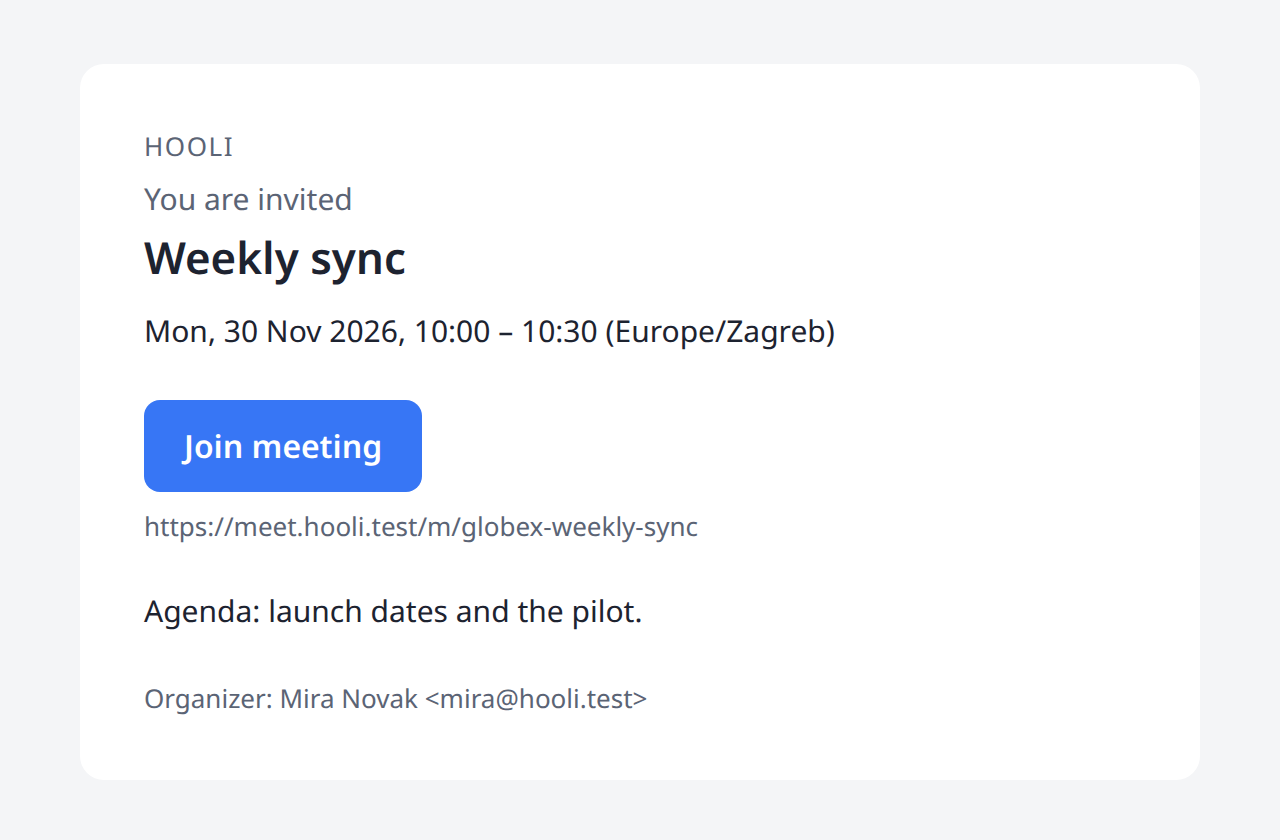
The invitations use the site's name and colour. Google's own invitation emails are never sent.
On Microsoft 365
Exchange sends its own Outlook invitation, update and cancellation to every attendee, from the organizer's main address; that's what puts the meeting in their calendar. MeetAlias adds its branded Invitation as a separate email, without a calendar file, when a meeting is created or a booking is confirmed. It sends no Updated or Cancelled emails, because Exchange's already reached everyone. Confirmation links and reminders work as above.
To you
| Sent when | |
|---|---|
| New booking | A client confirmed a booking for one of your meeting types. Includes their name, email, company, time and note. |
| Rescheduled by client / Cancelled by client | A client changed or cancelled their booking, with their reason if they gave one. |
| Online booking paused for today | Your booking page reached its daily maximum. At most once a day. |
| Daily email | Every morning, if you turned it on. |
When emails can't be sent
If Gmail or Outlook refuses to send, the meeting is still saved and MeetAlias shows: "The meeting was saved, but some emails could not be sent. Please let the guests know yourself." The most common cause is expired access; see When Google or Microsoft access breaks.
Changes picked up from Google Calendar or Outlook (a meeting moved or deleted there) don't send MeetAlias's emails.