Install
These steps assume a fresh Linux server with Docker and DNS for your site(s) already pointing at it. Run everything as a user who can use Docker; the examples use /opt/meetings.
1. Get the code
2. Write .env
Fill it in. A complete example for one site:
# every site domain, separated by comma AND space
SITES=meet.example.com
SECRET_KEY=...           # openssl rand -base64 48
POSTGRES_PASSWORD=...    # openssl rand -hex 24
Generate the two secrets with the commands shown. Every variable is explained in Configuration.
Leave ALLOWED_DOMAIN, ADMIN_EMAILS, GOOGLE_CLIENT_ID and GOOGLE_CLIENT_SECRET empty: the setup wizard asks for the connection to Google Workspace or Microsoft 365 instead.
Never set GOOGLE_FAKE here
GOOGLE_FAKE=1 replaces Google and Microsoft with a test double and turns on a password-less test login. It's for automated tests only; MeetAlias refuses to start with it on an https:// site.
3. Describe your site(s) in config/brands.json
Skip this step for a single site: the setup wizard creates it, and admins add more under Profile → Brands.
[
  {
    "key": "example",
    "name": "Example",
    "url": "https://meet.example.com",
    "color": "#2557c9",
    "logo": null,
    "icon": null,
    "senderDomain": null,
    "owner": null
  }
]
url must be one of the domains in SITES. The fields, logos, colours and multiple sites are covered in Sites and branding.
4. Build and start
docker compose build app
docker compose up -d db
docker compose run --rm migrate      # creates or updates the database schema
docker compose up -d
Within a minute Caddy has certificates and the site answers:
5. Run the setup wizard
On its first start, MeetAlias prints a one-time setup link in its log:
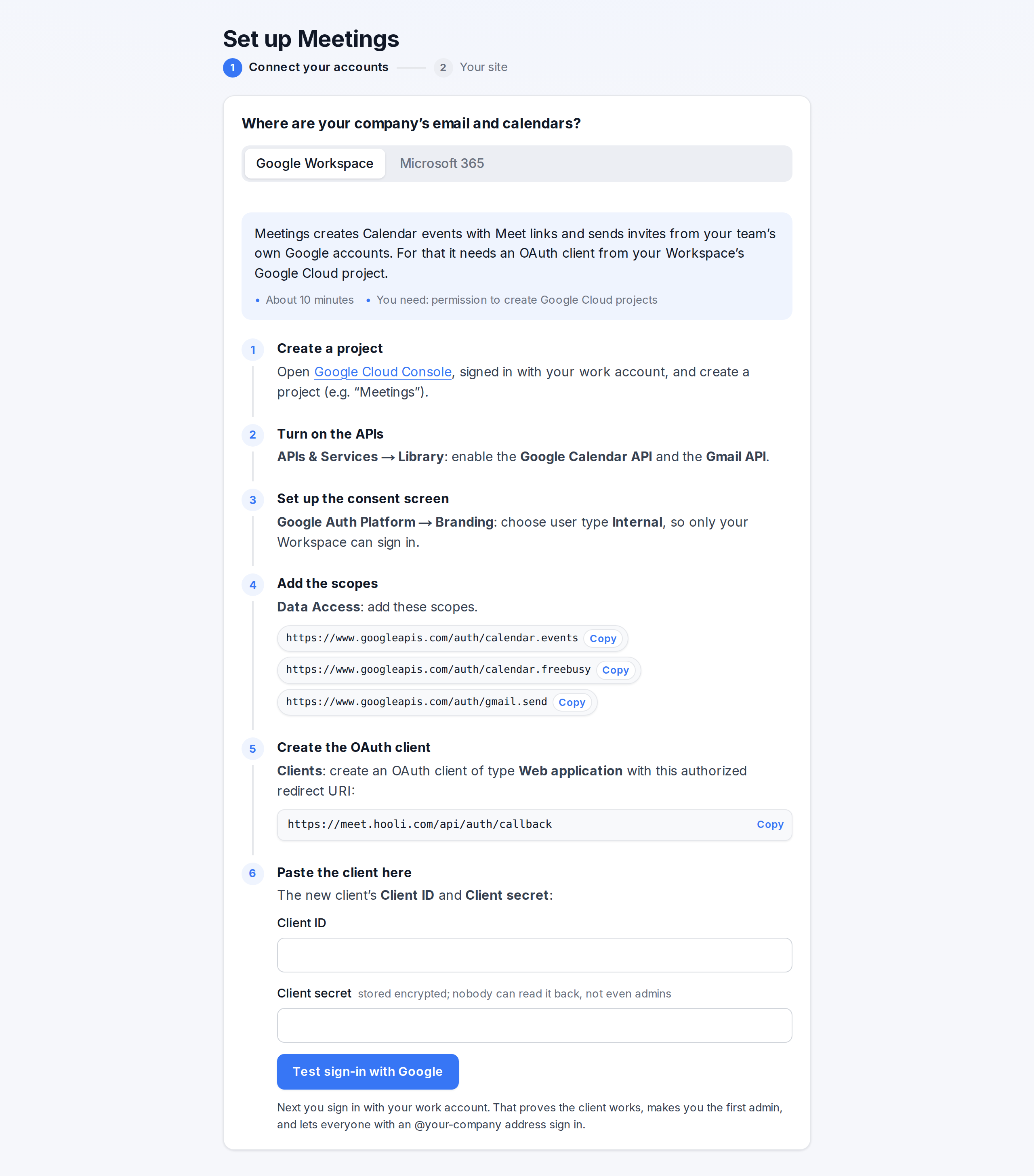
Replace <this site> in it with your site's domain and open it. It works once, within 24 hours; for a new one run docker compose exec app node scripts/setup-link.mjs https://meet.example.com.
The wizard asks where your company's email and calendars are, and walks you through connecting them:
- Google Workspace: see Google Workspace setup.
- Microsoft 365: see Microsoft 365 setup.
Its test sign-in makes you the first admin. Then you choose your site's name and colour, and you're signed in. Then:
- set your timezone and profile;
- set weekly hours and a meeting type if you want a booking page;
- create a test meeting with yourself as the only attendee and check the invite.
If it doesn't start
MeetAlias checks its configuration at startup and refuses to run with an unsafe one, saying why:
See Troubleshooting for the common cases.
Next
- Operations: upgrades, backups, monitoring.
- Security: what's protected and what you should still do on the server.